01
Your profile
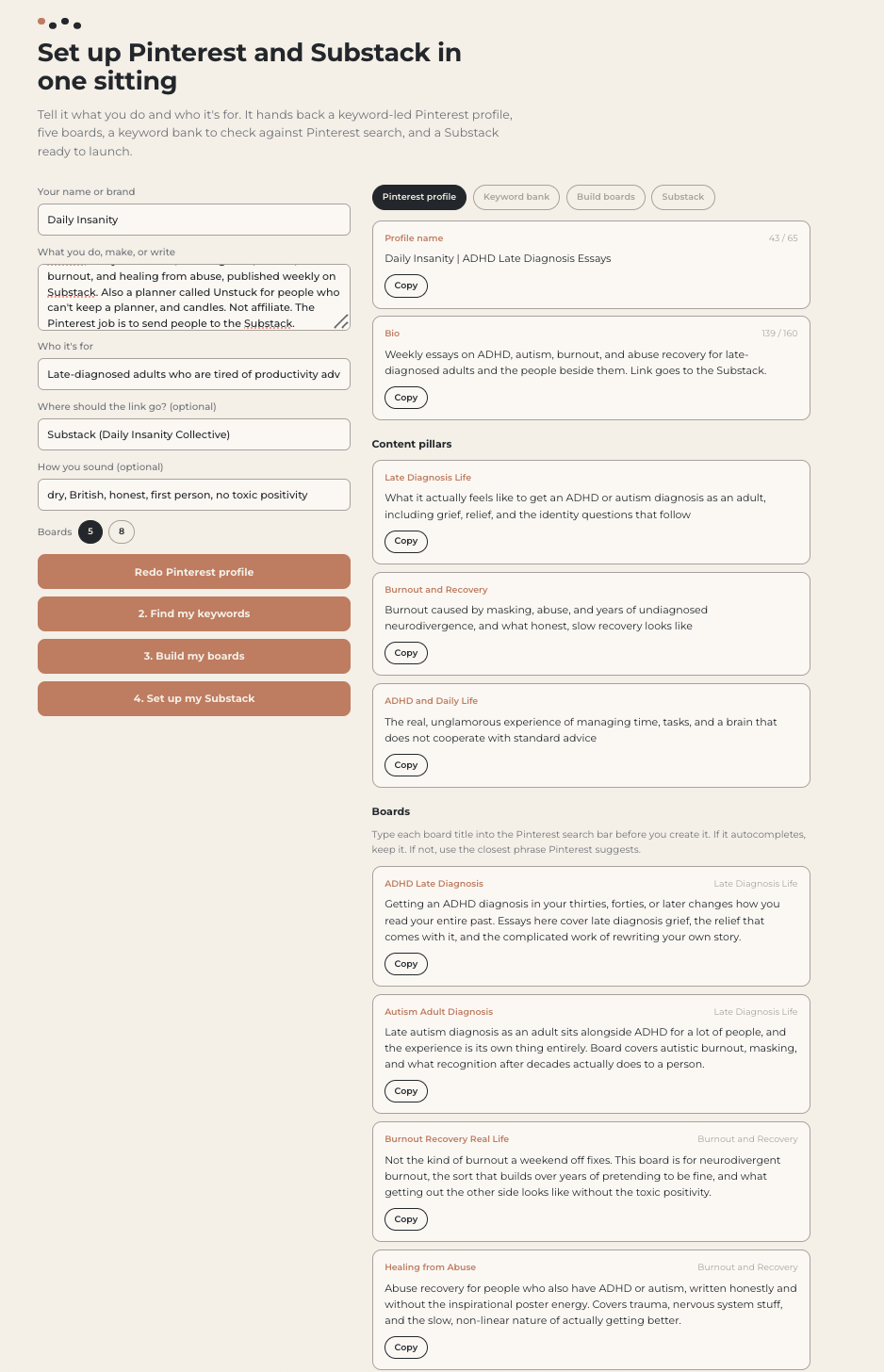
Your account name and About section, written around the phrases people search rather than the way you describe yourself. Plus your content pillars, so everything after this has a spine.
PINTEREST SETUP
Findable walks you through the whole thing in one sitting. Your profile, your pillars, your keywords, your boards named the way people actually search, and the first six pins for each one. You answer questions about your business. It writes the rest.
$27 USD once. Unlimited accounts. Updates included.
the problem
Pinterest is a search engine that everyone treats like a mood board. So the boards get named the way you think about your own work, the profile says what you do in your own words, and the pins go out with captions written for people who already know you. None of it matches what anyone is typing into the search bar. The account looks lovely and nobody arrives.
Fixing that is not creative work. It is a list of decisions, made in the right order, using the words your audience already uses. That is all Findable is.
what it does
01
Your account name and About section, written around the phrases people search rather than the way you describe yourself. Plus your content pillars, so everything after this has a spine.
02
Six keywords per pillar, each tagged by what the searcher is actually doing. Browsing, comparing, or ready to buy. You stop guessing which phrase to use where.
03
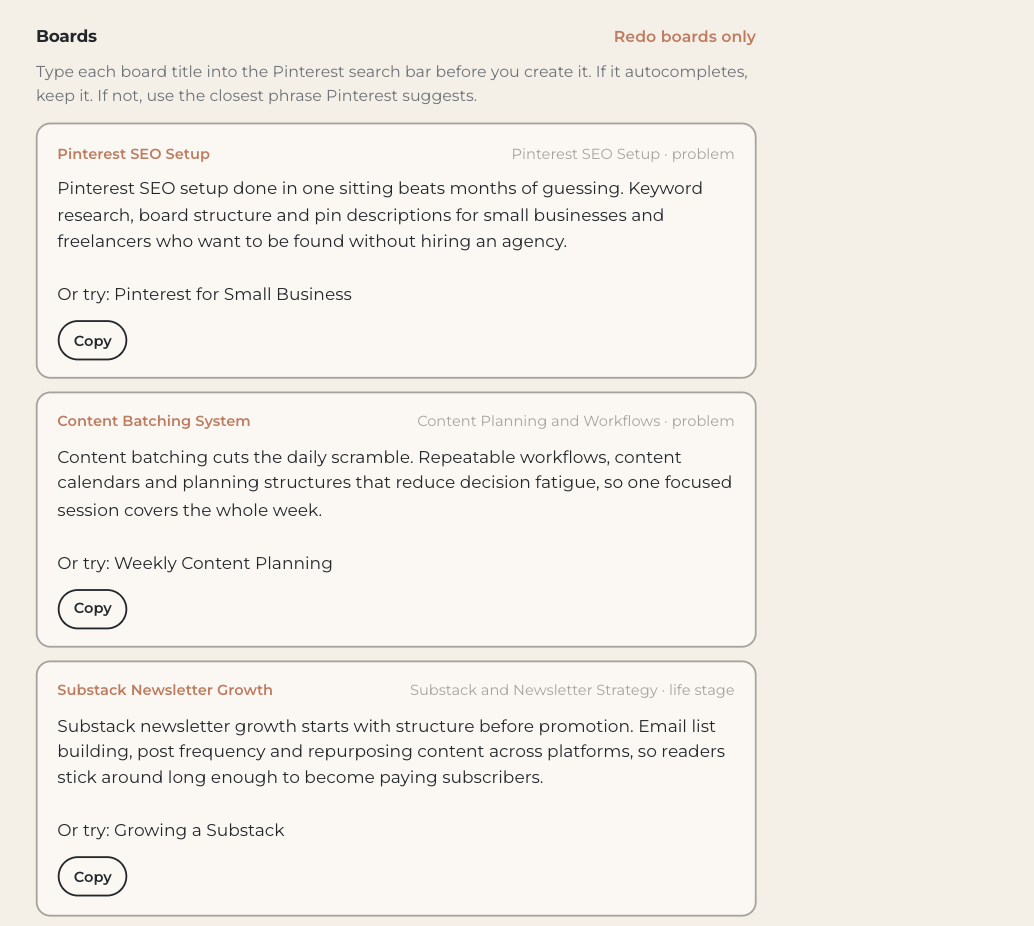
Board titles written as real search phrases, with alternates to choose from and a note on what belongs in each. This is the step most accounts get wrong and never revisit.
04
Six pins per board, ready to make. Title, description, the text that goes on the image, an image idea in your own visual style, and where the pin should send people.
the scan
Findable runs ten checks against an existing account and scores it out of a hundred. Name, About, pillars, board titles, board descriptions, pin quality, destinations, and the gaps between what you post and what people search for.
Nine of the ten it checks on its own. The tenth is board titles, and only the Pinterest search bar can confirm whether a phrase is really being typed, so you check that one and mark it yourself.
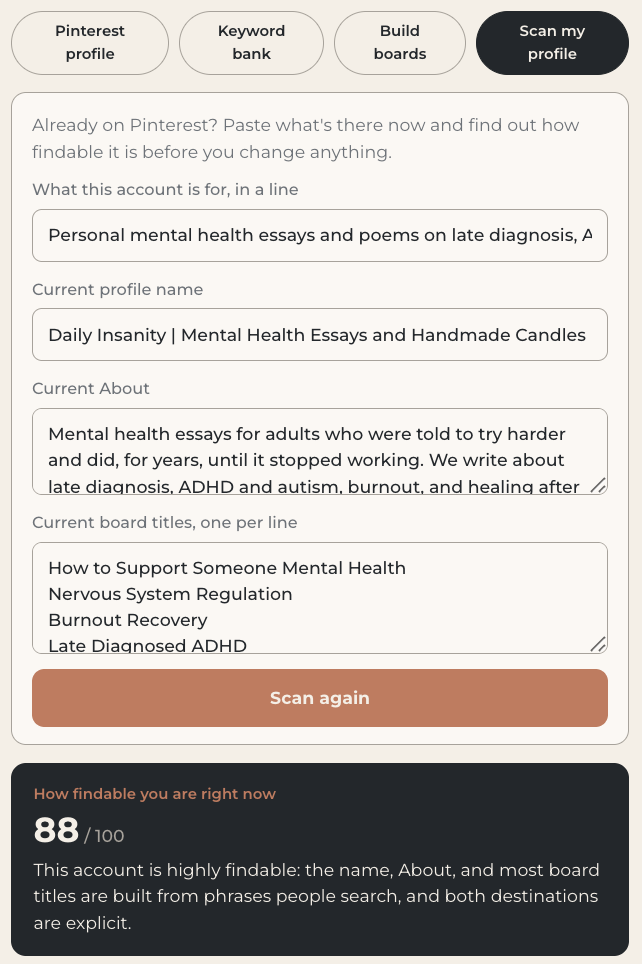
Ten checks. The scan does nine. You do one.
You get the score, the specific failures, and what to change. Then the build steps fix them.
proof
My own Pinterest profile scored 52. After the fixes, 88.
Scores are Findable's own ten-check score, not a Pinterest metric.
what you get
who it is for
People starting a Pinterest account from nothing and wanting to get the foundations right the first time. People with an account that has been running quietly for months and never sent anyone anywhere. Small businesses, writers, makers, and anyone selling something that people would plausibly search for.
If you already have Pinterest bringing you steady traffic and you know why, you do not need this.
faq
Gumroad emails you a license key. Paste it into the unlock screen at systemizedbyap.com/findable/app and it stays unlocked on that device.
Three. If you need more, or you change laptops, email hello@systemizedbyap.com and I will reset it.
No. It asks you questions and gives you the finished decisions. There is nothing to watch.
No. Findable stops at what to post and where to send it. You can pin by hand or use whatever scheduler you already pay for.
Yes. It works for anything with an audience you want to reach through search, including a Substack, a shop, or a portfolio.
Then you have saved yourself a rebuild and you still have the four build steps for your next account, or your next set of boards.
Email me within fourteen days and I will refund it. Refunding revokes the license key.
$27 USD once. Unlimited accounts. Every update included.